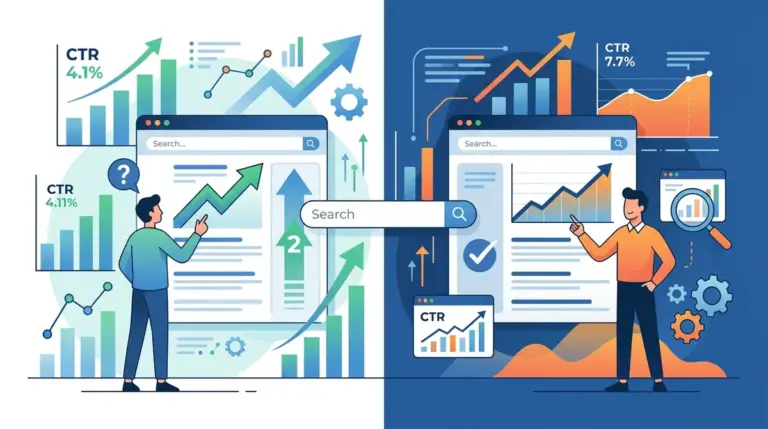
Ranking on page one is no longer the finish line; it is the qualifying heat. With the rise of zero-click searches and AI-generated overviews, a standard keyword-optimized title tag often fails to capture the user's attention. If your title looks like every other result in the SERP, you are competing solely on position rather than relevance. To drive actual revenue, your titles must function as high-performance ad copy that bridges the gap between a user’s query and their specific intent.
The Mechanics of the 600-Pixel Real Estate
Google does not count characters; it measures pixels. While the general rule of thumb is 50–60 characters, the actual limit is approximately 600 pixels. A title consisting of capital "W"s will truncate much faster than one using lowercase "i"s. When a title is cut off with an ellipsis, you lose your call to action and your brand authority.
Best for: Maintaining visibility across mobile and desktop devices. Use tools that simulate the SERP display to ensure your primary value proposition appears before the 500-pixel mark. This leaves a buffer for different browser renderings.
Front-Loading for Instant Recognition
Users scan search results in an F-pattern, focusing heavily on the first two or three words. Placing your primary keyword and its most compelling modifier at the very beginning of the title tag ensures that the user recognizes the relevance of your page within milliseconds. If you are targeting "SEO Audit Services," a title starting with "Professional SEO Audit Services" is less effective than "SEO Audit Services: 5 Steps to 2x Your Traffic." The latter identifies the service and immediately attaches a tangible outcome.
Engineering the Information Gap
Click-through rates (CTR) spike when a title creates an "information gap"—a psychological itch that can only be scratched by clicking the link. This is not about clickbait; it is about specificity. Vague titles like "How to Save Money" are ignored because they offer no unique perspective. In contrast, "How I Saved $1,200 on Cloud Hosting in 30 Days" provides a concrete benchmark that promises a specific, data-backed solution.
Leveraging Brackets and Parentheticals
Data from various CTR studies indicates that using brackets—such as [Template], [Case Study], or [2024 Data]—can improve click-through rates by up to 40%. These additions serve as visual anchors that differentiate your link from the surrounding text. They signal to the user exactly what type of content they are about to consume, reducing the perceived "risk" of a wasted click. This visual distinction is a powerful tactic for using brackets in titles to increase clicks and stand out.
Warning: Google frequently rewrites title tags if they are over-optimized or do not match the page content. If your title is a string of keywords separated by pipes, Google is likely to replace it with your H1 or a snippet of your body text. Always write for the human first and the crawler second to maintain control over your SERP presence.
Aligning Title Strategy with Search Intent
A common mistake is applying a "one-size-fits-all" approach to title tags across the entire site. Your title strategy must shift based on where the user is in the marketing funnel.
- Informational Intent: Use "How-to," "Guide," or "Tips." Focus on the ease of learning or the depth of the resource.
- Commercial Investigation: Use "Best," "Top," or "Vs." Focus on comparison and objective ranking.
- Transactional Intent: Use "Buy," "Pricing," or "Discount." Focus on availability and immediate value.
- Navigational Intent: Ensure the brand name is prominent and the specific tool or login page is clearly identified.
The "Odd Number" Advantage
In list-based content, odd numbers consistently outperform even numbers. A list of "7 Strategies" feels more organic and less "packaged" than a list of "10 Strategies." Furthermore, specific numbers (e.g., "13 Tips") suggest a more exhaustive and curated list than rounded numbers like "10" or "20," which users often perceive as generic filler content.
Auditing Underperformers in Search Console
You cannot optimize what you do not measure. The most effective way to improve site-wide CTR is to identify "low-hanging fruit" in Google Search Console (GSC). Filter your performance report to show pages with high impressions but low CTR (typically anything below the average for that specific position).
If a page is ranking in position 3 but has a CTR of 2%, your title is failing to compete with positions 4 and 5. Test a new variation—perhaps by adding a current year or a more aggressive benefit statement—and monitor the results over a 14-day period. Small, iterative changes often yield higher returns than complete site-wide overhauls.
Executing the Title Tag Audit
To turn these insights into a repeatable workflow, start by exporting your top 50 pages by impressions. Cross-reference these with their current CTR and position. For any page underperforming its position's benchmark, rewrite the title using the "Benefit + Specificity + Format" framework. For example, instead of "Email Marketing Tips," use "11 Email Marketing Tips to Boost Open Rates [2024 Guide]." Update the tags, fetch the URLs in GSC to trigger a recrawl, and log the change date to track performance shifts. Consistent testing is the only way to stay ahead of changing user behavior and search engine layouts.
Frequently Asked Questions
Should the H1 tag always match the Title Tag?
Not necessarily. While they should be closely related to maintain consistency, the title tag is designed to win the click in the SERP, while the H1 is designed to keep the user on the page. The title tag can be more "advertorial," whereas the H1 can be more descriptive.
How long should I wait to see results from a title change?
Most changes are reflected in GSC within 3 to 7 days after Google recrawls the page. However, to get statistically significant CTR data, you should allow the new title to run for at least two weeks or until it has gained at least 1,000 impressions.
Are emojis in title tags effective for B2B?
Emojis can increase CTR by providing a splash of color in a text-heavy environment, but they must be used sparingly. In professional B2B contexts, they can sometimes diminish perceived authority. Use them only if they align with your brand voice and provide a clear visual cue, like a checkmark for a "Verified" list.