Search engine results pages (SERPs) are increasingly crowded with rich snippets, sponsored units, and AI-generated summaries. For a standard organic listing or a paid search ad to capture attention, it must provide a visual "hook" that breaks the scanning pattern of the user. Brackets [ ] and parentheses serve as these hooks. Data from historical click-through rate (CTR) studies suggests that titles containing brackets perform up to 38% better than those without, primarily because they offer a preview of the content’s specific utility or format before the user ever commits to the click.
The Psychology of Visual Anchoring in SERPs
The human eye does not read every word in a search result; it scans for relevance signals. Brackets act as visual anchors that interrupt the horizontal flow of text. By encapsulating specific information—such as a content type or a date—you provide a "meta-description" of the link within the title itself. This reduces the cognitive load required for a user to determine if your page satisfies their search intent.
Best for: Informational queries where the user is looking for a specific medium (e.g., a template, a video, or a checklist) or transactional queries where a specific incentive (e.g., a discount code) is the primary driver.
High-Performance Bracket Categories for SEO and PPC
Not all bracketed text is equal. To move the needle on CTR, the information inside the brackets must address a specific barrier to entry or highlight a unique value proposition. Use these specific categories to categorize your assets.
Format Indicators
Users often search for information but prefer a specific way to consume it. If your page offers more than just a wall of text, the title should reflect that immediately.
- [Video] – High performance for "how-to" queries where visual demonstration is preferred.
- [Template] – Essential for B2B keywords where the user wants a shortcut to a finished product.
- [Infographic] – Signals a quick, visual summary for complex data topics.
- [PDF] – Useful for whitepapers or deep-dive technical manuals that users intend to save for later.
- [Podcast] – Targets users looking for audio content during commutes or multitasking.
Temporal Relevance and Freshness
In industries like SEO, software, or legal news, information expires quickly. Brackets that confirm the content is current can prevent "pogo-sticking" where users bounce back to the SERP because the content feels dated.
Common examples include (Updated 2024) or [New Data]. Note that using parentheses for dates often feels less aggressive than square brackets, providing a softer visual cue that still confirms relevance. For evergreen content that has been recently refreshed, adding [2024 Guide] to the end of a title can reclaim traffic from competitors who haven't updated their metadata.
Social Proof and Proprietary Data
If your content contains original research, the brackets should highlight the exclusivity of that data.
Example: "How to Scale SaaS Content [Case Study]" or "Average CPC Trends [New Research]". This tells the user they are getting information they cannot find elsewhere, which is a significant driver for clicks in competitive niches.
Pro Tip: When using brackets in Google Ads, ensure the bracketed text aligns with your primary Call to Action (CTA). Using [Free Shipping] in a headline can increase CTR, but if the landing page doesn't immediately validate that claim, your bounce rate will spike, hurting your Quality Score.
Strategic Placement: Front-Loading vs. Tail-Ending
The placement of your brackets depends on the primary intent of the keyword. For high-volume, broad terms, placing the bracket at the end of the title allows the primary keyword to remain at the front for SEO weight while providing the CTR hook at the end of the scan. For example: "Project Management Software [Free Trial]".
Conversely, for specific "intent-heavy" searches, front-loading can be more effective. If a user is specifically looking for a template, leading with [Template] 10 Content Calendar Styles immediately satisfies the query. However, be cautious: Google often truncates titles around 580 pixels (roughly 50-60 characters). If your bracketed information is the most important part of your pitch, ensure it appears before the truncation point.
Measuring the Impact on Search Console and Ads
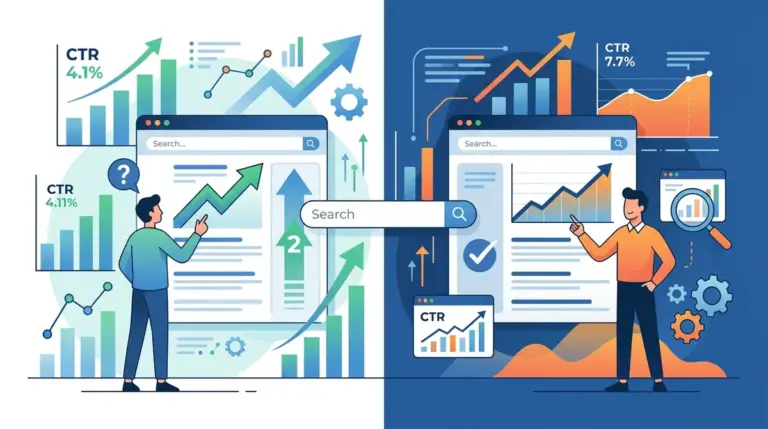
To validate the effectiveness of brackets, you must move beyond gut feeling and look at the delta in your CTR. In Google Search Console, isolate a specific page and compare the "Average CTR" for the 30 days before adding brackets versus the 30 days after. Monitor the "Average Position" simultaneously; if your CTR increases while your position remains stable, the brackets are successfully influencing user behavior.
In paid search, this is even simpler to test. Run an A/B test with two identical ads where the only variable is the presence of brackets in Headline 1 or Headline 2. Look for a statistically significant difference in CTR and, more importantly, Conversion Rate. Sometimes brackets attract "curiosity clicks" that don't convert; ensure the bracketed text is qualifying the visitor, not just baiting them.
Common Bracket Pitfalls and Technical Constraints
Overusing brackets can lead to "visual clutter," making your listing look like spam. Avoid using multiple sets of brackets in a single title. For example, "[Free][PDF] SEO Checklist [2024]" is difficult to read and may be flagged by ad platforms for excessive punctuation.
Additionally, consider the mobile experience. Mobile SERPs are even more constrained. If your title is long, the bracketed text at the end will likely be cut off. For mobile-heavy traffic, keep the entire title under 45 characters if you want the bracket to be guaranteed visible. Also, avoid using special characters like curly braces { } or angle brackets < >, as these can sometimes be misinterpreted by CMS plugins or search crawlers as code snippets, leading to display errors.
Executing the Bracket Strategy
To begin implementing this, audit your top 20 highest-traffic pages. Identify which pages offer a specific "extra" value—be it a downloadable, a video, or a specific year-based update. Add the appropriate bracketed text to the SEO title tag and the H1 (though the title tag is the priority for CTR). Monitor the results over a four-week period. If the data shows a positive trend, scale the practice across your entire content library, prioritizing pages that have a high impression count but a lower-than-average CTR for their position.
Frequently Asked Questions
Do brackets affect SEO rankings directly?
No, brackets are not a direct ranking factor. However, they improve CTR. A higher CTR sends positive signals to search engines about the relevance of your page, which can indirectly lead to better rankings over time as user engagement metrics improve.
Should I use [Square Brackets] or (Parentheses)?
Square brackets [ ] are generally more effective for "hard" information like [Video] or [Data], as they have a more distinct visual profile. Parentheses are better for "soft" information or secondary details like (Updated 2024) or (Free Version Available).
Will Google rewrite my title if I use brackets?
Google frequently rewrites titles if it believes it can better match the user's query. To minimize the chance of a rewrite, ensure the bracketed information is highly relevant to the page content and that the total title length remains within the recommended pixel limit.
Are brackets allowed in Google Ads headlines?
Yes, brackets and parentheses are generally allowed in Google Ads headlines, provided they are not used excessively or in a way that violates their punctuation policies. They are a standard tactic for highlighting promotions or specific content formats in PPC.