The Pixel vs. Character Conflict in Title Optimization
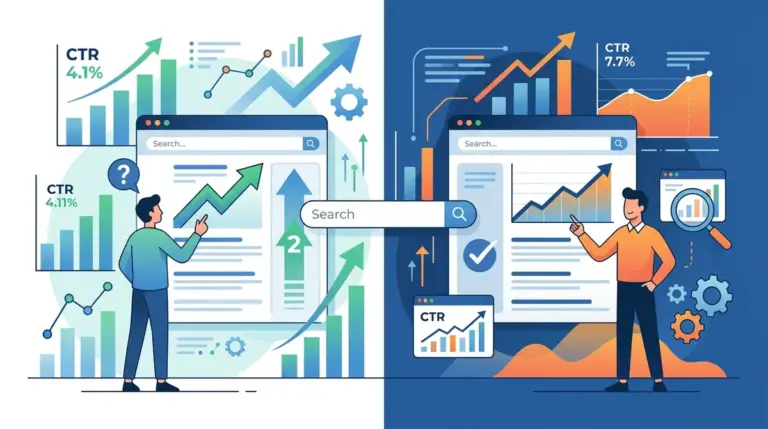
SEO professionals often default to the "60-character rule" because it is an easy heuristic. However, Google does not calculate title length by character count; it measures by pixel width, typically truncating anything beyond 580 to 600 pixels. A title with three capital "W"s takes up significantly more real estate than one with three lowercase "i"s. If your titles are truncating, your click-through rate (CTR) suffers because the user loses the context of your value proposition or the end of your call-to-action. This is why understanding the nuances of optimizing title length for better performance is paramount for SEO success.
Optimizing for CTR requires a shift from "filling the space" to "front-loading the intent." When a title is cut off with an ellipsis (...), the psychological impact on the searcher is one of incompleteness. To maximize organic performance, you must balance keyword density with visual clarity across both desktop and mobile viewports, which have different truncation thresholds. The following tools and platforms are ranked based on their ability to solve this specific technical and creative bottleneck.
Critical Variables in Title Optimization
Before selecting a tool to manage your metadata, you must evaluate how it handles three specific variables. First, pixel-perfect rendering: the tool must use a variable-width font simulation that matches Google’s current SERP display. Second, mobile-first toggles: since mobile SERPs often allow for slightly more vertical space but different horizontal constraints, a tool that only shows desktop views is insufficient. Third, bulk analysis: for sites with more than 100 pages, manual entry is a productivity killer. You need a solution that flags truncation risks across your entire sitemap automatically.
1. Mangools Google SERP Simulator
Mangools offers one of the most precise visual representations of how a title tag and meta description will appear in a live environment. Unlike basic character counters, this simulator uses a pixel-based calculation engine. It allows users to toggle between desktop and mobile views, which is essential because Google often displays longer titles on mobile devices before truncating. The interface is stripped of unnecessary bloat, focusing entirely on the visual footprint of the snippet.
Best for: Individual page optimization and creative drafting for high-value landing pages.
Pros: Provides an exact pixel width measurement (e.g., 540/580px) and allows for "Fetch from URL" to analyze existing live snippets instantly.
Cons: Lacks bulk processing capabilities, making it inefficient for enterprise-level site audits or migrations.
Verdict: This is the gold standard for copywriters who need to ensure their primary hook is visible before the 580-pixel cutoff without guessing.
2. Screaming Frog SEO Spider
Screaming Frog is the industry standard for identifying title length issues at scale. Its "SERP Mode" allows you to upload a list of URLs or crawl an entire site to see which titles exceed the pixel limit. It calculates both character count and pixel width for every page it touches. This is particularly useful for identifying "thin" titles that are too short to be descriptive and "bloated" titles that are losing their branding to truncation.
Best for: Technical SEOs performing site-wide audits and identifying systemic metadata issues.
Pros: Can export a filtered list of every URL exceeding 580 pixels, allowing for prioritized fixes based on traffic data.
Cons: The interface is data-heavy and lacks the "drag-and-drop" visual feel of dedicated snippet editors.
Verdict: Use this to find every title tag on your site that is currently being truncated by Google, then use the export to guide your rewriting strategy.
3. SEO Testing
SEO Testing moves beyond simple length checks and into the realm of statistical validation. It connects directly to Google Search Console to run time-based A/B tests on your title tags. You can change a title’s length or phrasing and track the delta in CTR over a two-week period. This eliminates the guesswork of whether a shorter, punchier title outperforms a longer, keyword-rich one.
Best for: Data-driven marketers who need to prove the ROI of metadata changes to stakeholders.
Pros: Automates the calculation of "Expected CTR" vs. "Actual CTR" to show the performance lift of specific title length adjustments.
Cons: Requires a minimum threshold of search traffic to reach statistical significance, making it less useful for new or low-traffic sites.
Verdict: This is the only way to definitively know if a 50-character title performs better than a 60-character title for your specific audience.
4. Portent SERP Preview Tool
Portent’s tool is designed for the intersection of SEO and content marketing. It provides a clean, distraction-free environment to test how different title lengths impact the visual hierarchy of a search result. It includes a specific feature for "Bold Keywords," allowing you to see how your title will look when a user searches for a specific term, which can subtly change the visual width of the text.
Best for: Content editors who want to visualize how their headlines will compete against other results.
Pros: Includes a screen capture feature that makes it easy to send "before and after" mockups to clients or internal teams.
Cons: Does not offer advanced features like mobile-specific pixel limits or bulk CSV uploads.
Verdict: Excellent for the creative phase of title drafting, especially when trying to balance brand placement at the end of a tag.
5. SearchPilot
SearchPilot is an enterprise-grade SEO A/B testing platform that operates via a meta-CMS layer. It allows large-scale sites to test title length hypotheses across thousands of pages simultaneously. For example, an e-commerce site can test whether including the price in the title (increasing length) improves CTR enough to justify the risk of truncating the product name.
Best for: Enterprise SEO teams managing sites with millions of URLs and complex templates.
Pros: Uses a "split-group" testing methodology that accounts for algorithm updates and seasonal trends, providing the most accurate CTR data available.
Cons: The price point and technical implementation (CDN or edge-side) make it inaccessible for small to medium businesses.
Verdict: The definitive choice for high-traffic sites where a 0.1% increase in CTR translates to six-figure revenue gains.
6. Rank Math
Rank Math is a WordPress plugin that has largely overtaken its competitors by offering a more sophisticated snippet editor. It provides a real-time pixel counter directly within the WordPress post editor. It also offers a "Snippet Private" mode to see how titles look on social media platforms, which often have different truncation rules than Google.
Best for: WordPress users who want to prevent title length issues before they are even published.
Pros: Includes a "Focus Keyword" overlay that highlights where your keyword appears in the title, helping you front-load it for better CTR.
Cons: Can lead to "green light syndrome," where writers focus too much on hitting plugin scores rather than writing for human clicks.
Verdict: The most efficient way to manage title lengths for content-heavy sites built on WordPress.
7. SEMrush Site Audit
The SEMrush Site Audit tool includes a dedicated "On-Page SEO" section that flags titles that are too long or too short. What sets it apart is the integration with competitive data. It doesn't just tell you that your title is 70 characters; it tells you how that compares to the top-ranking competitors for your target keywords.
Best for: Agencies who need to monitor metadata health across multiple client accounts in one dashboard.
Pros: Automatically re-scans the site on a schedule to ensure that new content adheres to title length guidelines.
Cons: The pixel measurement is sometimes less granular than dedicated tools like Mangools or Screaming Frog.
Verdict: A reliable "set it and forget it" monitoring solution for maintaining title length standards across a large portfolio.
8. Ahrefs Site Audit
Ahrefs provides a robust site audit tool that categorizes title length issues under "Content issues." It identifies pages where the title tag is missing, too long, or too short. Its primary advantage is the "Top Pages" report, which allows you to see the CTR of pages with truncated titles vs. those with optimal lengths, provided you integrate your GSC data.
Best for: SEOs who use Ahrefs as their primary research tool and want to consolidate their auditing.
Pros: Excellent filtering capabilities; you can filter for "Truncated Titles" on pages that have at least 1,000 monthly impressions.
Cons: The UI for the SERP preview itself is not as interactive as standalone simulators.
Verdict: Best for prioritizing which titles to fix first based on the actual traffic potential of the page.
9. HigherVisibility SERP Preview
This is a lightweight, web-based tool specifically designed for quick checks. It is one of the few free tools that accurately reflects the current font sizes and weights used by Google. It provides a "Heatmap" of sorts by showing exactly where the "..." will appear if you continue typing.
Best for: Quick, one-off title checks during a live meeting or strategy session.
Pros: No login required and extremely fast; it mimics the Google UI almost perfectly including the URL and date stamps.
Cons: No ability to save drafts or export data; it is a "live-only" tool.
Verdict: The best "no-frills" option for checking a single title's truncation point in seconds.
10. Yoast SEO
Yoast remains a staple for metadata management. While its character-based progress bar is often criticized for being too simplistic, the "Google Preview" section provides a reliable visual of the final result. It is particularly useful for setting "Titles & Metas" templates using variables like %%title%% and %%sep%% to ensure consistency across thousands of category pages.
Best for: Large-scale WordPress sites that rely on templated title structures.
Pros: The variable system prevents manual errors when generating titles for product or archive pages.
Cons: The "green light" indicator is based on character count, not pixel width, which can be misleading.
Verdict: Essential for site-wide title templating, but should be double-checked with a pixel-based tool for high-priority pages.
11. ToTheWeb SERP Tool
ToTheWeb offers a unique "Bulk Title Tag" tester. You can paste a list of titles and it will tell you which ones are likely to be truncated. This bridges the gap between the single-page simulators and the heavy-duty crawlers like Screaming Frog.
Best for: SEOs who are preparing a batch of new content and want to verify titles before they go live.
Pros: Fast bulk processing without the need to install software or run a full site crawl.
Cons: The visual interface is dated and doesn't provide a "live" preview for each entry in the bulk list.
Verdict: A practical middle-ground tool for content managers who handle 20-50 articles at a time.
12. Surfer SEO
Surfer SEO’s Content Editor includes a "Snippet" section that analyzes the title tags of the current top 10 competitors for a keyword. It suggests a title length range based on what is currently working in the live SERP, rather than a theoretical limit. If all top competitors are using 45-character titles, Surfer will flag a 60-character title as an outlier.
Best for: Content writers who want to match the "intent length" of the current ranking pages.
Pros: Competitive benchmarking; it tells you the average title length of the pages actually winning the clicks.
Cons: The focus is on keyword correlation, not necessarily the technical pixel truncation point.
Verdict: Use this to ensure your title length aligns with user expectations for a specific search intent.
How to Measure the Impact of Title Length on CTR
Optimizing title length is a waste of resources if you aren't measuring the resulting change in user behavior. To do this effectively, use Google Search Console's "Performance" report. Filter for a specific page and compare the "Average CTR" and "Average Position" for the 28 days before the title change and the 28 days after. If your position remains stable but your CTR increases, your title length and messaging are more effective.
Be wary of "Google Title Rewrites." In recent years, Google has increasingly replaced title tags with H1 headers or other on-page text in the SERPs. If you find your carefully crafted title isn't appearing, it is often because the title is too long, too short, or lacks relevance to the query. In these cases, shortening the title to stay well within the 550-pixel range often "forces" Google to use your preferred tag instead of an automated one.
Frequently Asked Questions
Is 60 characters still the limit for SEO titles?
No. While 60 characters is a safe average, the actual limit is approximately 580-600 pixels. Titles using wide characters like "M" or "W" will truncate sooner than those using "i" or "l".
Does title length affect rankings directly?
Title length is not a direct ranking factor, but it is a primary driver of CTR. Since CTR is a significant signal for user engagement and relevance, an optimized title length indirectly supports higher rankings over time.
Should I put my brand name at the beginning or end of the title?
For most sites, the brand name should go at the end to ensure the primary keyword and hook are not truncated. Only front-load the brand if it has massive search volume and high trust that significantly boosts CTR (e.g., "Amazon" or "The New York Times").
What happens if my title is too short?
Short titles (under 30 characters) often underperform because they fail to provide enough context or a compelling reason to click. They also represent a missed opportunity to include secondary keywords or a call to action.
How does mobile title length differ from desktop?
Google generally allows for more characters on mobile (up to 70-78 characters in some cases) because titles can wrap to a second line. However, you should always optimize for the desktop limit (580px) to ensure your message is safe across all devices.