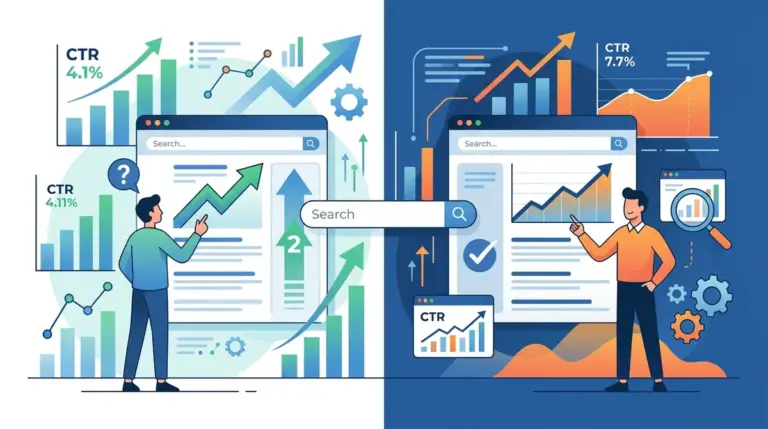
A search ranking is a liability until it converts into a click. If a page sits in the third position for a high-volume keyword but pulls a click-through rate (CTR) below the 8% industry benchmark, that visibility is being wasted. Title tags are the primary lever for fixing this discrepancy. They are the only element of your on-page SEO that functions simultaneously as a ranking factor and a direct-response advertisement. Optimizing them requires a shift from keyword density toward click psychology and technical precision.
The Technical Constraints of the 600-Pixel Limit
Google does not measure title tags by character count; it measures them by pixels. While the common advice suggests staying under 60 characters, the actual limit is roughly 600 pixels. Characters like "W" or "M" take up more space than "i" or "l." If your title exceeds this width, Google will truncate it with an ellipsis, often cutting off your most persuasive call-to-action or unique selling proposition.
KPI Impact: Truncation leads to a measurable drop in CTR because it signals to the user that the content might be poorly formatted or irrelevant. To maximize real estate, front-load your primary keyword but ensure the "hook" appears within the first 45 characters to guarantee visibility across all device types, including narrow mobile viewports.
Mobile vs. Desktop Rendering Differences
Mobile search results often allow for slightly longer titles—sometimes up to 78 characters—before truncation occurs. however, you cannot optimize for mobile in a vacuum. The safest strategy is the "Core-Modifier-Brand" structure. By placing the core keyword first, the modifier (e.g., "Free Shipping," "2024 Guide") second, and the brand name last, you ensure that even if the brand is cut off, the intent-matching portion of the title remains intact.
High-Performance Title Patterns for Search
Generic titles like "Best Running Shoes" are ignored because they offer no specific value proposition. To drive clicks, titles must address the user's specific stage in the buyer journey. Data from millions of SERP interactions suggests that specific linguistic patterns consistently outperform flat descriptions.
- The Bracket/Parenthesis Hack: Adding [Updated for 2024] or (With Template) to the end of a title can increase CTR by up to 40%. Brackets act as a visual break that draws the eye and promises a specific format of information.
- Odd Number Lists: Use odd numbers like "7 Ways" or "11 Strategies." Research indicates that odd numbers are perceived as more authentic and less "packaged" than round numbers like 10 or 20.
- Negative Sentiment: While "Best" is a standard modifier, negative superlatives like "Worst," "Avoid," or "Stop" often generate higher engagement because they trigger loss aversion—the human tendency to prefer avoiding a loss over acquiring a gain.
- Direct Answer Targets: If the query is a question, the title should mirror that question exactly. This signals to the Google algorithm and the user that the page is a direct match for the intent.
Warning: Avoid "Title Tag Cannibalization." If multiple pages on your site use the same primary keyword at the start of their title tags, Google may choose to display the "wrong" page or fluctuate your rankings. Every title on your domain must be unique to prevent internal competition.
The Psychology of the Click: Using Power Words and Modifiers
Searchers are looking for the fastest, most authoritative, or cheapest solution. Your title tag must signal one of these "Value Pillars" immediately. If your page is a deep-dive guide, use words like "Comprehensive," "Complete," or "Advanced." If the page is a tool or a quick fix, use "Instant," "Easy," or "Fast."
Best for E-commerce: Include specific transactional modifiers like "Next-Day Delivery," "In Stock," or "Price Match." These details qualify the click, ensuring that the traffic you receive is actually ready to purchase, which improves down-funnel conversion rates.
Leveraging Dynamic Variables
For large-scale sites or directories, manual optimization is impossible. Use dynamic variables to insert the current month or year into the title tag. A title that says "Updated October 2024" will almost always beat a title that lacks a date, as searchers equate recency with accuracy. This is particularly critical in fast-moving industries like tech, finance, or news. This strategy of using dates in titles is particularly effective, and you can read more about how using dates in titles can boost performance.
Diagnostic Testing and Iteration
Optimization is not a one-time event. You must use Google Search Console (GSC) to identify "Underperformers." Look for pages with a high average position (1-5) but a CTR that is significantly lower than your site's average for that position. These are your primary candidates for title tag testing.
When testing, change only one element at a time—the modifier, the number, or the brand placement. Monitor the results for at least 14 days to account for weekly traffic fluctuations. If the CTR improves but the ranking drops, you may have removed a key semantic signal that Google was using to categorize the page. In this case, you must find a middle ground between "Clickbait" and "Keyword Optimization."
Actionable Title Tag Audit Checklist
To systematically improve your site-wide CTR, execute the following steps on your top 20 traffic-generating pages:
Step 1: Identify the primary keyword and ensure it is in the first 3 words of the title.
Step 2: Check the pixel width using a SERP simulator to ensure no critical information is truncated.
Step 3: Add a parenthetical modifier (e.g., "Step-by-Step") to increase visual interest.
Step 4: Remove the brand name if it is long and provides no trust-signal value for that specific query, freeing up space for more descriptive text.
Step 5: Compare your title against the current top 3 competitors. If they all use "How to," consider using "The Secret to" or "Why [Topic] Matters" to stand out through differentiation.
Common Title Tag Questions
How long does it take for a title tag change to affect CTR?
Changes can be seen as soon as Google recrawls the page, which usually happens within 24 to 72 hours for high-authority sites. However, you need at least two weeks of data in Search Console to statistically validate whether the new title is actually performing better than the old one.
Why is Google showing a different title than the one I wrote?
Google often rewrites titles if it believes the original doesn't accurately reflect the page content or if the title is stuffed with keywords. If your title is being overwritten, it is a signal that your tag is either too long, too repetitive, or lacks relevance to the user's specific query. Try making it more descriptive and less "salesy."
Do title tags affect rankings or just CTR?
Both. The title tag is a confirmed ranking factor. Including your primary keyword helps Google understand the topic of the page. However, a high CTR is a secondary signal of relevance; if users consistently click your result over others, it reinforces your position in the SERPs.
Should I include my brand name in every title tag?
For established brands (e.g., Nike, Amazon, HubSpot), the brand name acts as a trust signal that increases CTR. For smaller or unknown brands, the brand name often wastes valuable pixel space. In those cases, prioritize descriptive, benefit-driven language and place the brand at the very end or omit it entirely on deeper content pages.