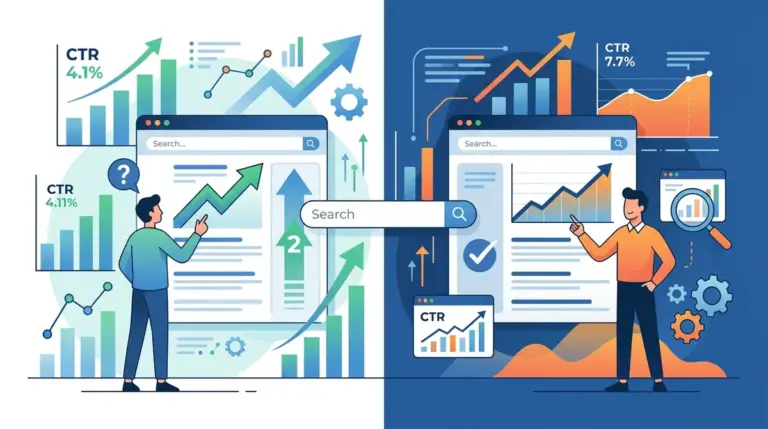
A page ranking in position three with a 4% click-through rate (CTR) is a copywriting failure, not a technical SEO one. If the industry average for that slot is closer to 9%, you are effectively forfeiting half of your potential organic revenue before a user even lands on your site. Rewriting underperforming SEO titles is the highest-leverage activity in search marketing because it extracts more value from existing rankings without the cost of building new backlinks or producing fresh content. This is why focusing on how to write SEO titles people want can dramatically increase your site's revenue.
The goal of a title rewrite is not just to include a keyword, but to win the "click auction" happening in the user's mind. To do this, you must diagnose why the current title is failing to convert impressions into visits and apply a structural framework that commands attention.
Auditing the Click-Through Rate Gap
Before touching a single tag, you must identify which pages are underperforming relative to their position. High-volume keywords with low CTR indicate a mismatch between what the user expects and what your title promises.
Isolating High-Impression, Low-Click Pages
Open Google Search Console and filter your performance report to show pages with high impressions but a CTR significantly below your site’s average for that specific position. Best for: Identifying "quick win" opportunities where a small copy tweak can result in an immediate traffic spike. Focus on pages ranking in positions 1 through 5, as these are the most sensitive to CTR fluctuations. If a page is in position 12, a title rewrite might help, but you have a ranking problem more than a CTR problem.
Deconstructing Search Intent Misalignment
The most common reason for a low CTR is a fundamental misunderstanding of search intent. If a user searches for "best CRM for small business," they are looking for a comparison or a listicle. If your title is "Our CRM Software Features," you have a misalignment. You are offering a product page to someone who wants a curated guide.
The Informational vs. Commercial Pivot
Analyze the SERP for your target keyword. If the top three results all use numbers (e.g., "10 Best...") or years (e.g., "2024 Guide"), your title must mirror that format to remain competitive. Conversely, if the SERP is dominated by dry, functional titles, a more aggressive, benefit-driven headline can help you stand out. Actionable Tip: Look for "Ads" at the top of the SERP. Professional media buyers spend thousands testing headlines; if their ads emphasize "Free Shipping" or "No Credit Card Required," consider incorporating those hooks into your organic title.
Warning: Never change the title of a page that is currently on a sharp upward ranking trend unless the CTR is catastrophically low. A title change triggers a re-evaluation of the page's relevance by search algorithms, which can occasionally lead to temporary volatility in rankings.
Structural Rewriting Frameworks
Effective SEO titles follow specific psychological patterns. Once you have identified the intent, use one of the following frameworks to rebuild the title.
The Brackets and Parentheticals Method
Adding brackets at the end of a title can increase CTR by up to 40% by providing "meta-information" about the content. It tells the user exactly what they are getting. Examples include [Template], [Case Study], [Video], or [2024 Data]. This reduces the perceived risk of clicking on a low-quality or irrelevant link.
Front-Loading the Primary Keyword
Users scan SERPs in an "F" pattern, focusing heavily on the first two or three words. If your primary keyword is buried at the end of a 60-character string, the user may skip over it. Move the high-volume, high-intent keyword to the very beginning of the title tag. This confirms relevance instantly.
The Outcome-Based Headline
Instead of describing what the page is, describe what the user will achieve.
Weak: How to Improve SEO Rankings
Strong: 5 Steps to Increase Organic Traffic by 20% (Case Study)
Execution Checklist for Title Optimization
When rewriting, use this checklist to ensure the new title is technically sound and psychologically compelling:
- Pixel Width: Keep titles under 580 pixels (roughly 50-60 characters) to avoid truncation in mobile and desktop views.
- Unique Selling Proposition (USP): Include a specific differentiator like "Free," "Fast," "Expert-Verified," or "Updated."
- Active Verbs: Use "Get," "Save," "Build," or "Stop" rather than passive descriptors.
- Secondary Keyword Integration: If space permits, include a high-volume secondary keyword that adds context without cluttering the main message.
- Brand Placement: For established brands, place the brand name at the end to leverage trust. For smaller sites, omit the brand name if it costs you valuable keyword space.
Measuring the Impact of Title Changes
Title optimization is an iterative process. You must document the date of the change and monitor the performance delta over a 14-to-30-day window. Use a simple spreadsheet to track the "Before" CTR and the "After" CTR alongside the average position. If the position remains stable but the CTR increases, the rewrite was a success. If the position drops, the new title may have stripped away too much topical relevance, and you should consider a hybrid version of the old and new titles.
Scaling Title Updates Across Large Sites
For publishers or e-commerce sites with thousands of pages, manual rewriting is impossible. In these cases, use templated variables to improve CTR at scale. For example, an e-commerce category page template could be: [Category Name] - Buy Online & Save 15% | [Brand Name]. For blog content, ensure your CMS automatically appends the current year to titles to maintain perceived freshness. Programmatic updates allow you to test specific "hooks" across entire segments of your site to see which modifiers drive the highest engagement before committing to manual rewrites for top-tier pages.
Frequently Asked Questions
How long does it take for a title change to show in Google?
Usually between 24 hours and one week. You can accelerate this by "Requesting Indexing" for the specific URL within Google Search Console to force a re-crawl.
Will changing my title hurt my rankings?
It can if you remove the primary keyword or significantly alter the topical focus. Always ensure your primary keyword remains prominent, preferably at the beginning of the title.
Why is Google showing a different title than the one I wrote?
Google often rewrites titles if it believes your title tag doesn't accurately reflect the page content or if the title is too long, too short, or stuffed with keywords. Ensure your H1 tag and Title tag are closely aligned to minimize this.
Should I include my brand name in every title?
Only if your brand has significant "search equity" or trust. For most small to mid-sized sites, that space is better used for descriptive, benefit-driven copy that addresses the user's search query.