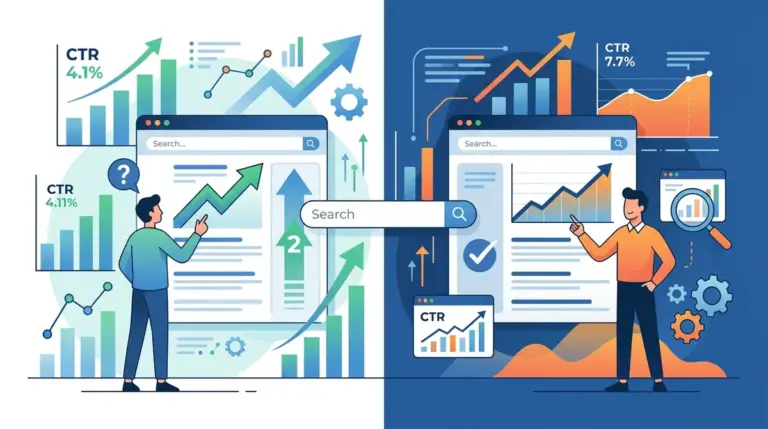
The meta description is the final sales pitch before a user leaves the search results page. While Google has confirmed that meta descriptions are not a direct ranking factor, they are the primary lever for influencing Click-Through Rate (CTR). A high-ranking page with a generic, truncated, or irrelevant description will consistently lose traffic to lower-ranking competitors who better align their snippet with user intent. To maximize clicks, you must treat this 160-character space as high-value ad copy, not a technical requirement. To ensure your snippets are seen, consider the best meta description length for more clicks and how Google displays them.
The Pixel-Perfect Length Constraint
SEO professionals often cite 155 to 160 characters as the "safe zone" for meta descriptions. However, Google actually measures snippets by pixels, not character counts. The current desktop limit is approximately 920 pixels, while mobile devices truncate at roughly 680 pixels. If your description is too long, Google will cut it off with an ellipsis, often mid-sentence, which destroys the professional appearance of the snippet and hides your Call to Action (CTA).
Best for: Mobile-first indexing. Aim for 120 characters to ensure the entire message renders across all devices without losing the punchline. Use tools that provide a visual preview to identify where wide characters like 'W' or 'M' might push your text over the pixel limit.
Aligning Snippets with Search Intent
A common mistake is using a single template for every meta description on a site. To drive clicks, the copy must mirror the user’s stage in the search journey. A user searching for "how to fix a leaky faucet" (informational) requires a different psychological trigger than someone searching for "best kitchen faucets 2024" (commercial/investigative).
The Informational Value Proposition
For educational content, the meta description should promise a specific solution or a comprehensive answer. Avoid vague summaries. Instead of saying "This article discusses faucet repair," use "Learn the 5-minute fix for a dripping compression faucet using standard household tools. Stop the leak today without a plumber." This addresses the pain point (the leak), the time commitment (5 minutes), and the cost-saving benefit (no plumber).
The Transactional Hook
For product or category pages, users are looking for selection, price, and trust. Use the meta description to highlight specific inventory details or shipping terms. "Shop our collection of 500+ industrial kitchen faucets. Free next-day shipping on orders over $50. 10-year warranty included on all stainless steel models." This provides concrete data points that help the user qualify the site before they even click.
Warning: Google rewrites meta descriptions over 70% of the time if the provided snippet does not closely match the user's specific query. To prevent this, ensure your meta description contains the primary keyword and at least one secondary variation that appears in the first paragraph of your page content.
Visual Cues and the Bolding Effect
When a user types a query into the search bar, Google bolds every instance of those keywords within the meta description. This creates a visual "scent" that confirms the page is relevant to the search. While keyword stuffing is penalized in body copy, strategically placing your primary and secondary keywords in the meta description is essential for catching the eye. Position your most important keywords toward the beginning of the snippet to ensure they are seen before any potential truncation occurs.
Psychological Triggers for Higher CTR
Standard descriptions describe what a page is. High-performing descriptions tell the user what to do. Incorporating psychological triggers can significantly shift the click volume in your favor:
- Scarcity and Urgency: "Limited time offer," "Only 5 spots left," or "Sale ends Friday."
- Social Proof: "Joined by 10,000+ subscribers" or "Rated 4.9/5 by 2,000 customers."
- The Curiosity Gap: "Discover the one SEO metric most agencies ignore." (Use this sparingly to avoid "clickbait" bounces).
- Direct Benefit: "Save 20% on your first order" or "Get your free audit in 30 seconds."
The Technical Checklist for Meta Descriptions
To ensure consistency across a large-scale site or a client portfolio, every description should pass a rigorous quality check. If a description feels like an afterthought, the user will treat the link as one. Use the following criteria for every page:
- Unique Content: Never duplicate meta descriptions across multiple pages. This creates internal competition and confuses search engines.
- Active Voice: Use verbs like "Get," "Find," "Save," "Learn," and "Download" instead of passive phrasing.
- CTA Inclusion: Every snippet should end with or contain a clear instruction on what the user should do next.
- Entity Matching: Include brand names, specific model numbers, or geographic locations if the search is localized.
A/B Testing Snippets for Incremental Gains
CTR optimization is an iterative process. Use Google Search Console to identify pages with high impressions but low CTR (anything below the average for that position). Change the meta description for these pages, wait 14 to 30 days, and measure the delta in CTR. Small changes, such as moving the CTA to the front or adding a "Free Shipping" badge, can result in a 5-10% lift in traffic without any change in organic ranking position.
Auditing Existing Snippets for Immediate Traffic
Start your optimization by exporting your top 50 pages by impressions from Search Console. Filter for pages where the CTR is below 3%. Often, these pages have meta descriptions that are either missing, too short, or were auto-generated by a CMS using the first sentence of the article. Manually rewriting these 50 descriptions to include a specific value proposition and a CTA is the fastest way to increase site-wide traffic without building new backlinks or creating new content. Focus on the "low-hanging fruit" where a 1% increase in CTR equates to thousands of additional visitors.
Frequently Asked Questions
Does a long meta description hurt my SEO?
It does not hurt your rankings directly, but it hurts your CTR. Truncated descriptions look unprofessional and often hide the most persuasive part of your message, leading users to click on a cleaner result.
Why is Google showing a different description than the one I wrote?
Google will overwrite your description if it believes a snippet from the page content better answers the user's specific query. This usually happens when the meta description is too generic or doesn't include the keywords the user searched for.
Should I put keywords in the meta description?
Yes. While they don't help you rank higher, they appear in bold when they match the user's search query. This visual emphasis draws the eye and increases the likelihood of a click.
How often should I update my meta descriptions?
You should audit them whenever you see a significant drop in CTR or when the page content changes. For seasonal businesses, updating descriptions to reflect current offers (e.g., "Updated for 2024") can provide a significant competitive advantage.