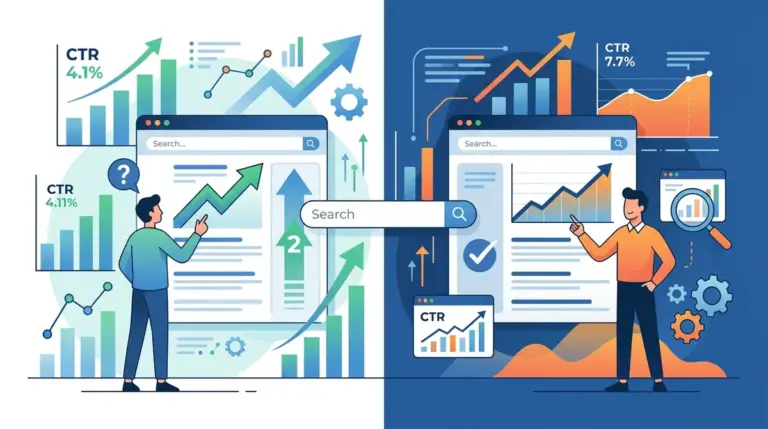
The obsession with a specific character count for meta descriptions is a relic of 2010-era SEO. Today, Google treats the meta description as a dynamic suggestion rather than a hard directive. In approximately 70% of cases, search engines rewrite your description based on the user’s specific query. However, for the 30% of the time your copy actually appears, the difference between a 1% and a 4% click-through rate (CTR) depends on pixel width, keyword proximity, and mobile-first truncation logic. The goal is no longer just "fitting in the box"; it is about maximizing visual real estate without triggering an ellipsis that cuts off your primary value proposition.
When you optimize for clicks, you are competing for "visual weight." This involves understanding that a capital "W" takes up more horizontal pixels than a lowercase "i." If you aim for 160 characters but use wide characters, your call-to-action will be truncated on a standard 13-inch MacBook Pro screen. Conversely, if you are too brief, you concede valuable SERP territory to competitors who are using that space to answer secondary user intents. The following strategies rank the most effective length-based approaches for modern search environments.
What to Look For in a Meta Description Strategy
Before selecting a target length, you must audit your primary traffic source. If 80% of your users are on mobile, a 160-character description is a failure because it will truncate at roughly 120 characters, often mid-sentence. You must also consider "bolding" effects. When a user searches for a specific term, Google bolds that term in your description. Bolding increases the pixel width of the text, meaning a "perfectly sized" description might suddenly truncate because the bolded words pushed the text over the limit. Effective strategies prioritize "front-loading"—placing the most critical information in the first 60 characters—while using the remaining space for auxiliary benefits and a clear CTA.
1. The 155-Character Desktop Standard
This is the traditional benchmark for desktop search, designed to fit within the 920-pixel limit. It allows for a two-sentence structure: one sentence to validate the user's search intent and a second to provide a compelling reason to click. This length provides enough room to include three to four primary and secondary keywords, which helps with the visual bolding effect that draws the eye. It is the safest "all-rounder" for B2B SaaS and long-form editorial content where users are likely searching on larger screens.
Best for: B2B service pages, technical guides, and desktop-heavy software landing pages.
Pros: Maximizes the available real estate on desktop SERPs; provides enough space for a full value proposition and a CTA; allows for natural sentence structures that improve readability.
Cons: High risk of truncation on mobile devices; requires careful pixel-width monitoring if using many capital letters or wide characters.
Verdict: Use this as your baseline for any page where the primary conversion happens on a desktop, but ensure the first 100 characters contain the "must-read" hook.
2. The 120-Character Mobile-First Cut
With mobile viewports limited to approximately 680 pixels, the 120-character limit is the sweet spot for ensuring your entire message is visible on a smartphone. This length forces extreme brevity, which often results in higher CTRs because the message is punchy and immediate. It eliminates the "trailing ellipsis" problem which can make a brand look unpolished or hide the price/offer at the end of a sentence.
Best for: E-commerce product pages, local SEO, and news snippets consumed on the go.
Pros: Guarantees visibility across almost all mobile devices; forces the writer to eliminate fluff and focus on the primary USP; reduces the chance of Google rewriting the snippet due to excessive length.
Cons: Leaves significant empty space on desktop SERPs, which can make the result look less authoritative compared to longer, detailed competitors.
Verdict: This is the mandatory standard for retail and local services where mobile search volume exceeds 60%.
3. The 60-Character Micro-Description
The micro-description focuses entirely on brand authority and a singular, aggressive CTA. By using only 60 characters, you create a massive amount of white space around your search result. This "minimalist" approach can actually increase CTR by making your result stand out against the cluttered, text-heavy descriptions of your competitors. It functions more like a secondary headline than a description.
Best for: High-authority brands, login pages, and "Contact Us" pages where the user intent is already clear.
Pros: Zero risk of truncation; creates a clean, premium look in the SERPs; extremely effective for brand-name searches.
Cons: Provides very little information for "discovery" searches; fails to capture secondary keyword bolding opportunities; may be seen by Google as "thin" metadata.
Verdict: Highly effective for navigational queries where the user is already looking for you specifically.
4. The 300-Character Extended Snippet
While Google officially recommends shorter descriptions, they frequently pull up to 300 characters from the page content for informational or "How-to" queries. By intentionally writing a 300-character meta description, you are providing Google with a pre-formatted, high-quality block of text to use for these expanded snippets. Even if it gets truncated, the sheer volume of text can dominate the fold on desktop.
Best for: Deep-dive educational content, Wikipedia-style resources, and comprehensive "What is" articles.
Pros: Increases the "footprint" of your search result; allows you to answer multiple facets of a query directly in the SERP; improves the chance of being used as a featured snippet source.
Cons: Almost guaranteed to truncate on all devices; can lead to a "wall of text" that users skip over; Google may ignore it entirely in favor of a shorter paragraph from your body copy.
Verdict: A high-risk, high-reward strategy for top-of-funnel informational keywords where you want to establish immediate topical authority.
5. The Keyword-Dense Front-Loaded String
This strategy ignores traditional sentence structure in favor of a semi-colon-separated list of features and keywords. The goal is to trigger as many "bold" matches as possible within the first 80 characters. By front-loading the keywords, you ensure that no matter where the truncation happens, the user has already seen the relevance of your page to their query.
Best for: Category pages in e-commerce and directory listings (e.g., "Best CRM Software").
Pros: High visual salience due to multiple bolded terms; immediately communicates the variety of options available on the page; works well for users who are "scanning" rather than reading.
Cons: Can appear "spammy" or automated; lacks a persuasive narrative voice; may result in lower brand trust for high-end services.
Verdict: Use this for high-volume "list" keywords where the user is looking for a selection rather than a specific answer.
6. The Question-Based Hook (80-100 Characters)
This approach uses the first half of the description to mirror the user's query back to them as a question, followed by a brief promise of an answer. By keeping it under 100 characters, you ensure the question and the "hook" are visible even on the narrowest mobile screens. It leverages the psychological principle of "open loops," where the user feels compelled to click to find the resolution to the question.
Best for: Troubleshooting guides, FAQ pages, and consultative service providers.
Pros: Directly aligns with the "natural language" queries used in voice search; creates an immediate psychological connection with the searcher; very high CTR for "How do I..." or "Why is..." queries.
Cons: Limited space for branding or secondary features; can be redundant if the Page Title is also a question.
Verdict: The most effective length for informational intent where the user is in the "problem-aware" stage of the funnel.
7. The CTA-Driven Hard Close (140 Characters)
This strategy uses the first 90 characters for the value proposition and reserves the final 50 characters for an aggressive, direct call to action (e.g., "Download Your Free Audit Now" or "Get 20% Off Today"). By aiming for 140 characters, you stay just under the truncation limit for most modern browsers while ensuring the "action" part of the description is the last thing the user reads.
Best for: Lead magnets, promotional offers, and trial sign-up pages.
Pros: Drives immediate action; clear "next step" for the user; fits well within the standard SERP layout without looking cramped.
Cons: If the description truncates even slightly, the CTA is the first thing to disappear; requires precise character counting.
Verdict: Essential for conversion-focused landing pages where the goal is an immediate click-to-lead transition.
8. The Dynamic Programmatic Snippet
For sites with millions of pages, manual descriptions are impossible. This strategy uses a template (e.g., [Product] starting at [Price]. Available in [Color] and [Size]. Buy online at [Brand].) that typically hits 130-150 characters. The focus is on data accuracy rather than prose. This length allows for the inclusion of dynamic variables that update based on inventory.
Best for: Large-scale e-commerce, real estate listings, and job boards.
Pros: Highly scalable; provides concrete data (price, location) that users look for; minimizes the "outdated info" risk if connected to a live database.
Cons: Often lacks a human "voice"; susceptible to template errors that can look broken in the SERPs.
Verdict: The only viable option for enterprise-level sites; focus on making the first 60 characters of the template as "human" as possible.
9. The Structured Data Supplement (110 Characters)
When a page uses Schema markup (like Review Stars, Price, or Stock Status), Google often shortens the displayed meta description to make room for the rich snippet data. If you write a full 160-character description for a page with rich snippets, it will almost certainly be truncated. This strategy involves writing a "short" 110-character description that complements the rich data rather than repeating it.
Best for: Product pages with ratings, recipe pages, and event listings.
Pros: Prevents the "cluttered" look that occurs when rich snippets and long descriptions collide; ensures the description doesn't repeat the price or rating shown in the stars.
Cons: If Google decides not to show the rich snippet for a specific query, your result will look oddly short and under-optimized.
Verdict: Necessary for any page where you have successfully implemented and verified Schema markup.
10. The Zero-Description Strategy
In some cases, the best "length" is no length at all. By leaving the meta description blank, you force Google to pull a snippet from the page content that it deems most relevant to the user's specific query. This is a technical choice for pages that rank for thousands of long-tail keywords, where a single static description could never be relevant to all of them.
Best for: Massive forum threads, long-form academic papers, and broad category "hubs."
Pros: Ensures maximum relevance for long-tail "niche" queries; saves significant time on meta-tag management; allows Google’s AI to do the heavy lifting of matching intent.
Cons: Total loss of control over your brand messaging; can result in "messy" snippets that include navigation menu text or dates; lower CTR for "head" terms.
Verdict: Use only for pages where the keyword variety is so high that a single description would be irrelevant to 90% of searchers.
11. The Brand-First Identity Tag (70-90 Characters)
This strategy places the brand name or a brand-specific slogan at the very beginning of the description, followed by a brief summary. This is a "trust-first" approach. By keeping it under 90 characters, you ensure that the brand identity is the dominant visual element in the snippet, which is particularly effective for companies with high market awareness.
Best for: Fortune 500 companies, well-known media outlets, and established industry leaders.
Pros: Leverages existing brand equity to drive clicks; creates a consistent "look" across all search results; very clean and authoritative appearance.
Cons: Wastes valuable space if the brand is not already well-known; provides less room for keyword optimization.
Verdict: Best for "defensive" SEO where you are protecting your own brand terms and want to project maximum professionalism.
12. The Multi-Sentence Narrative (160+ Characters)
This strategy intentionally goes slightly over the standard limit (around 170-180 characters) but uses very short, punchy sentences. The idea is that even if Google truncates the final sentence, the first two or three sentences are complete thoughts. This avoids the "broken sentence" look while providing a much more informative narrative for users on ultra-wide monitors or those viewing the "cached" version of the page.
Best for: Story-driven blog posts, case studies, and "About Us" pages.
Pros: Provides a more engaging "reading" experience; allows for a narrative arc (Problem, Solution, Result); works well with Google’s tendency to pull longer snippets for informational queries.
Cons: High risk of "ugly" truncation on mobile; requires skilled copywriting to ensure each sentence can stand alone.
Verdict: A sophisticated approach for content marketers who want to prioritize "dwell time" starting from the search result itself.
How to Measure Meta Description Success
Success in meta description optimization is measured through one primary metric: the CTR-to-Position ratio. A high CTR on a result in position #4 is often more valuable than a low CTR in position #1. To measure this, you must use Google Search Console (GSC) to track the "Average CTR" of specific pages before and after a description change. Look for "Performance" data and filter by page. If you change a description and the CTR increases while the average position remains stable, your new length and copy are working.
Don't just look at the raw percentage. Analyze the "Query" report to see which keywords are triggering your result. If you find that Google is ignoring your custom meta description and pulling text from the page instead, it usually means your description wasn't relevant enough to those specific queries. In that case, you should either rewrite the description to include those high-volume keywords or shorten it to make it more "universal." A/B testing is the gold standard here; test a 120-character "Mobile-First" description against a 155-character "Desktop Standard" on similar pages to see which drives more absolute clicks for your specific audience.
Frequently Asked Questions
Does meta description length affect SEO rankings?
No, meta descriptions are not a direct ranking factor. Google does not use the keywords in your meta description to determine your position in the SERPs. However, they are a massive "indirect" factor because they influence click-through rate. A higher CTR sends positive signals to Google about the relevance of your page, which can lead to better rankings over time.
What happens if my meta description is too long?
Google will truncate it with an ellipsis (...). While this doesn't "penalize" your site, it can cut off your call-to-action or the most important part of your message, which typically leads to a lower CTR. In some cases, if the description is excessively long or irrelevant, Google will simply ignore it and generate its own snippet from your page content.
Why is Google showing a different description than the one I wrote?
Google’s primary goal is to show the user why a page is relevant to their specific search. If your custom meta description doesn't contain the keywords the user searched for, but your page content does, Google will "rewrite" the snippet using the relevant section of your content. This happens in roughly 70% of searches.
Should I use emojis in my meta descriptions?
Emojis can increase CTR by adding a splash of color and visual interest to a text-heavy SERP. However, they also take up pixel width. If you use emojis, you should shorten your text by about 10-15 characters to compensate. Also, be aware that Google does not display all emojis and may strip them out entirely if they feel "spammy" or irrelevant to the query.
Is character count or pixel width more important?
Pixel width is the true technical limit. Google’s desktop limit is roughly 920 pixels, and mobile is roughly 680 pixels. Because different characters have different widths (e.g., "i" vs "M"), character count is just an approximation. Most SEO tools use 155-160 characters as a safe "average," but if you use all caps, you will hit the pixel limit much sooner.