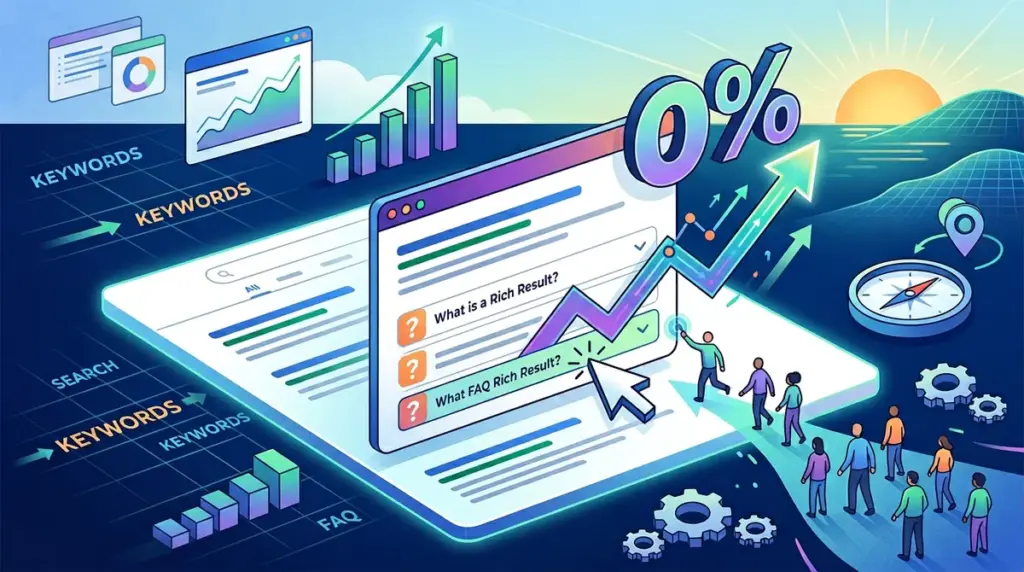
Search Engine Optimization is often treated as a game of rankings, but for the performance-driven marketer, a #1 position is a vanity metric if it fails to capture the click. FAQ rich results—those expandable question-and-answer accordions that appear beneath a search listing—represent one of the most significant shifts in SERP real estate management. While Google significantly restricted the visibility of FAQ snippets in late 2023, the strategic application of FAQ Schema remains a high-leverage tool for specific site categories and a cautionary tale for others regarding zero-click searches.
The Current State of FAQ Rich Results
In August 2023, Google fundamentally altered the FAQ landscape. Previously, almost any site with valid Schema markup could trigger these results. Now, FAQ rich results are primarily reserved for "authoritative" government and health websites. However, for those who still qualify or for brands operating in niches where Google occasionally tests these features, the impact on Click-Through Rate (CTR) is binary: it either dominates the fold or cannibalizes the visit.
Best for: High-authority informational hubs, medical resources, and government portals looking to own the "Answer Engine" space.
Who Still Gets FAQ Snippets?
Current SERP data suggests that while the broad rollout has been throttled, Google’s AI still pulls FAQ data for specific high-intent queries. If your site maintains high E-E-A-T (Experience, Expertise, Authoritativeness, and Trustworthiness) scores in the YMYL (Your Money or Your Life) sector, FAQ Schema is not optional; it is a defensive maneuver to prevent competitors from occupying that vertical space.
Quantifying the CTR Impact of Vertical Real Estate
The primary mechanism by which FAQ snippets influence CTR is vertical expansion. A standard organic listing occupies roughly 60 to 100 pixels of vertical height. An FAQ rich result with two questions can expand that footprint to 250 pixels or more. On mobile devices, this expansion often pushes the second and third organic results entirely off the initial screen view.
- Visual Dominance: The accordion structure draws the eye away from flat text links, creating a focal point that suggests immediate utility.
- Competitor Displacement: By increasing your result's height, you force competitors further down the page, increasing the "interaction cost" for a user to find an alternative link.
- Query Refinement: FAQs allow you to capture users who are still in the "consideration" phase of their search journey by addressing secondary concerns before they even click.
The Zero-Click Paradox: When FAQs Hurt CTR
There is a dangerous misconception that more SERP features always equal more traffic. This is false. FAQ snippets can lead to "Zero-Click Searches," where the user finds the answer they need directly on the Google results page and never visits your site. This is particularly prevalent for factual, short-form queries (e.g., "What is the deadline for X?").
If your FAQ content provides a complete, exhaustive answer, you have effectively satisfied the user's intent on Google's platform. To maintain a high CTR, your FAQ content must be structured as a "bridge" rather than a "destination."
Pro Tip: Never provide the full solution in the FAQ snippet. Answer the "what" but leave the "how" or the "specific data" for the landing page. Use the FAQ to tease a more comprehensive guide, tool, or calculation available on your site.
Strategic Implementation for Maximum Click-Through
To maximize CTR, the copy within your FAQ Schema must be written with the same conversion-centric mindset as a meta description or a PPC ad. Generic questions like "What is our service?" are wasted space. Instead, focus on friction points that prevent a click.
Writing for the Click, Not Just the Answer
Instead of "How much does the service cost?", use "How do our pricing tiers compare to industry averages?" The latter implies a comparison or a value proposition that requires a click to see the full data set. Use active verbs and create a "curiosity gap." If a user sees a snippet that answers 40% of their problem, they are statistically more likely to click to solve the remaining 60%.
Technical Requirements and Validation
FAQ rich results require valid FAQPage JSON-LD Schema. While microdata is supported, JSON-LD is the industry standard for its ease of implementation and lower risk of breaking HTML formatting. The Schema must be a 1:1 match with the content visible on the page; Google will penalize or ignore Schema that contains "hidden" text not accessible to the user once they land.
Key Technical Checklist:
1. Ensure the name field contains the full question.
2. Ensure the acceptedAnswer field contains the response in valid HTML (limited to basic tags like links and lists).
3. Validate using the Rich Results Test tool to ensure there are no syntax errors that would disqualify the listing.
Monitoring Performance via Google Search Console
You cannot optimize what you do not measure. Google Search Console (GSC) provides a specific "Search Appearance" filter for FAQ results. By isolating this data, you can compare the CTR of pages when they show an FAQ snippet versus when they do not.
Analyze the "Position vs. CTR" curve. If your position remains #1 but your CTR drops after implementing FAQ Schema, you are likely suffering from the Zero-Click Paradox. In this scenario, you should either shorten your answers to be less "complete" or remove the Schema entirely to force the user to click through to find the information.
Actionable FAQ Optimization Roadmap
For sites that still qualify for these results, follow this deployment sequence to ensure you are gaining traffic rather than just providing free data to Google:
Identify High-Volume, Low-CTR Pages: Target pages that rank in positions 1-3 but have a lower-than-expected CTR. These are your best candidates for real estate expansion.
Audit Competitor Snippets: If a competitor is using FAQ snippets to push you down, you must implement them defensively to reclaim that vertical space.
Test Answer Length: Start with answers between 150 and 200 characters. This is long enough to provide value but short enough that most complex answers will be truncated, encouraging a click.
Use Internal Links: Google allows basic <a href> tags within the FAQ answer Schema. Use these to link to other relevant sections of your site, effectively turning the SERP into a secondary navigation menu.
Maximizing SERP Real Estate for 2024 and Beyond
The era of "set it and forget it" FAQ Schema is over. As search engines evolve into answer engines, your role is to gate-keep your most valuable information while using snippets as high-visibility bait. Focus on the psychological triggers of the searcher. If your FAQ snippet addresses a specific pain point or offers a unique insight that a competitor's flat listing does not, you will win the click regardless of the vertical height. Monitor your GSC data weekly and be prepared to pivot your copy if you notice your impressions rising while your clicks stagnate.
Frequently Asked Questions
Does FAQ Schema still work for e-commerce sites?
Generally, no. Google has restricted FAQ rich results primarily to authoritative health and government sites. However, e-commerce sites should still use Product Schema and Review Schema, which provide similar vertical expansion and CTR benefits without the same restrictions.
Can I use FAQ Schema on every page of my site?
Technically yes, but strategically no. You should only use it on pages where the FAQ content is highly relevant to the primary keyword. Over-implementing Schema on irrelevant pages can lead to a manual action or Google simply ignoring your structured data across the entire domain.
Will FAQ snippets help me rank higher?
Schema is not a direct ranking factor. However, the improved CTR and user engagement signals resulting from a well-executed snippet can indirectly influence your rankings over time by demonstrating to Google that your result is the most helpful for that specific query.
How many questions should I include in my FAQ Schema?
While you can include many, Google typically only displays two questions at a time in the rich result. Focus on your two most compelling, high-intent questions to ensure you control which information is displayed to the user.