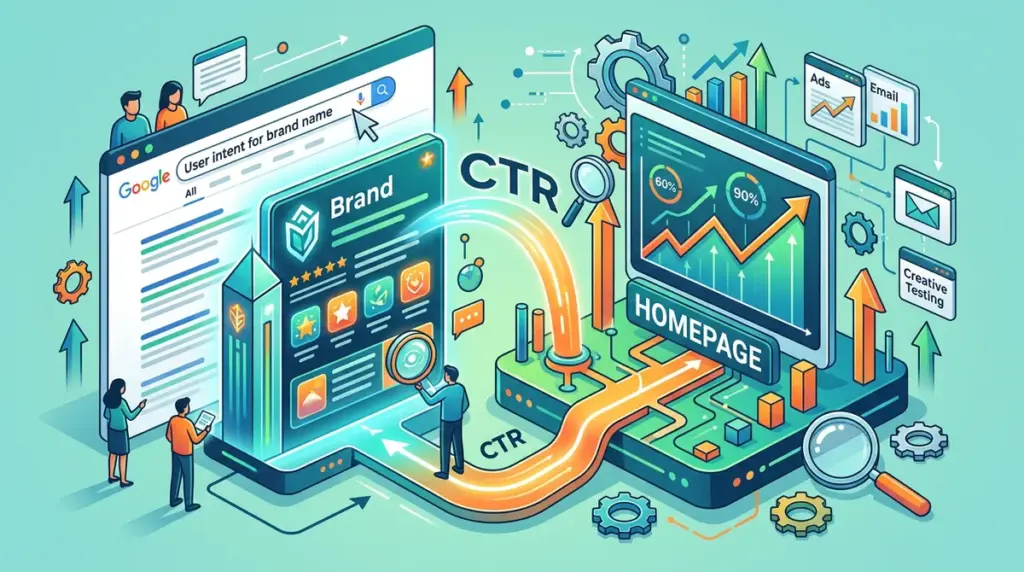
Branded search is often treated as a victory lap for SEOs, but this complacency leads to significant revenue leakage. While a brand name query typically yields the highest click-through rates (CTR) in any account, the gap between an unoptimized homepage result and a precision-engineered branded SERP can represent a 10% to 15% difference in high-intent traffic. When a user searches for your brand, they are at the bottom of the funnel; any friction in the snippet, or any distraction from a competitor’s "Conquesting" ad, risks diverting that user to a third-party review site or a rival’s landing page.
Optimizing the homepage for branded CTR is not about ranking—you already rank first. It is about maximizing the "Share of SERP" and controlling the narrative of the user's first touchpoint. This requires a shift from passive metadata to aggressive real estate management.
Title Tag Engineering Beyond the Brand Name
The default "Brand Name | Home" title tag is a wasted opportunity. Users searching for your brand already know who you are. The title tag should instead validate their decision or direct them toward a specific action. A high-performing branded title tag incorporates a value proposition or a primary category identifier that reinforces the brand's authority.
Mobile-First Truncation Strategy
Desktop users see roughly 60 characters, but mobile users often see less or more depending on the device width and Google’s dynamic adjustments. For branded searches, the brand name must appear first for immediate recognition, but the subsequent 30 characters must be high-impact. Best for: Conversion-focused brands. Instead of "Acme Corp - The Best SaaS for Teams," use "Acme Corp: Project Management Software for Scale." The latter uses the branded search to claim the category, making it harder for competitors to position themselves as alternatives in the user's mind.
Testing Dynamic Title Elements
Branded CTR can be boosted by including seasonal offers, "Official Site" markers, or specific trust signals within the title tag. If your brand faces high competition from resellers or affiliates, adding "[Official Site]" can improve CTR by 5-8% by signaling security and direct pricing to the user. This is particularly effective in industries like travel, software, and luxury retail where third-party noise is high.
Warning: Avoid over-optimizing for keywords in the branded title tag. If Google perceives the title as keyword-stuffed rather than brand-representative, it may rewrite the snippet entirely, often reverting to a generic H1 or the site URL, which typically results in a lower CTR.
Sitelink Control and Navigation Mapping
Sitelinks are the most powerful lever for homepage CTR because they physically expand the size of your result, pushing competitors further down the fold. While you cannot explicitly choose sitelinks in Google Search Console, you can influence them through site architecture and the use of SiteNavigationElement schema.
To ensure sitelinks drive the highest possible CTR, audit your top-performing internal pages. If Google is surfacing a "Privacy Policy" or "Contact Us" link instead of "Pricing" or "Product Features," your internal linking structure is misaligned with user intent. Use descriptive anchor text in your global navigation to signal to Google which pages provide the most value to a branded searcher.
- Strategic Sitelink Descriptions: Use the meta description of the pages that appear as sitelinks to sell the click. These descriptions often appear beneath the sitelink title, providing extra real estate to highlight specific benefits.
- Search Box Schema: Implement
Sitelinks Searchboxschema to allow users to search your site directly from the SERP. This keeps the user within your ecosystem and prevents them from returning to the general results page. - Demoting Irrelevant Links: Since the removal of the demote tool in GSC, the only way to remove a low-value sitelink is to de-index the page (not recommended for core pages) or to weaken its internal link profile relative to high-value pages.
Schema as a CTR Multiplier
Rich snippets are not just for product pages or recipe blogs. For a homepage, specific schema types can drastically alter the visual density of the branded result. Organization schema is the baseline, but it should be expanded to include social profiles, customer service numbers, and logo specifications to populate the Knowledge Panel correctly.
Best for: Localized brands and service providers. Implementing LocalBusiness or ProfessionalService schema on the homepage can trigger a map pack or a more robust Knowledge Panel, providing users with immediate "Click to Call" or "Get Directions" buttons. These buttons bypass the traditional website click but represent a 100% conversion in intent, which is the ultimate goal of CTR optimization.
Defending the Real Estate Against Competitor Ads
Branded CTR is often suppressed by competitors bidding on your brand name. If a competitor has a four-line ad with extensions sitting above your organic #1 result, your CTR will plummet regardless of how good your title tag is. To combat this, you must analyze the delta between your organic CTR when ads are present versus when they are not.
If competitors are aggressive, your organic snippet must work harder to provide "Information Gains" that an ad cannot. Use your meta description to highlight longevity, exclusive awards, or specific technical advantages that a competitor’s ad copy might lack. Additionally, consider a defensive PPC campaign. While it feels redundant to pay for your own brand name, the combined "Double Serve" (Ad + Organic #1) has been shown to increase total clicks by capturing users who instinctively skip ads and those who click the first thing they see.
The Impact of Favicons and Brand Assets
Visual cues are processed faster than text. On mobile SERPs, the favicon is a primary anchor for the eye. A low-resolution or generic favicon reduces trust and lowers CTR. Ensure your favicon is high-contrast and recognizable at 16x16 and 32x32 pixel sizes. Google’s documentation requires the favicon to be a multiple of 48px square (e.g., 48x48, 96x96), and failing to follow this can result in a default globe icon, which signals a lack of professional maintenance to the user.
Executing the Branded CTR Audit
To move from theory to implementation, follow this technical checklist to refine your branded presence. This is not a one-time setup but a recurring optimization task that should be reviewed quarterly or after any major brand campaign.
1. Analyze GSC Data: Filter by "Query contains [Brand]" and look for pages with high impressions but lower-than-expected CTR (anything below 40% for the #1 spot is a red flag).
2. Audit the Snippet: View the SERP on both mobile and desktop. Check if the meta description is being truncated or if Google is pulling random text from the footer.
3. Refine Meta Descriptions: Move from "We provide X services" to "Official Site: Get [Primary Benefit] and [Secondary Benefit]. Trusted by [Number] of users."
4. Update Internal Navigation: Ensure your most profitable pages are the most heavily linked in your header and footer to influence sitelink selection.
5. Monitor Competitor Conquesting: Use a third-party tool to track how often ads appear for your branded terms and adjust your defensive copy accordingly.
Frequently Asked Questions
Does a high branded CTR help my non-branded rankings?
While Google maintains that CTR is not a direct ranking factor in the core algorithm, high branded engagement signals site authority and user satisfaction. A strong brand presence often correlates with higher dwell times and lower bounce rates across the domain, which indirectly benefits overall SEO health.
Why is Google showing the wrong sitelinks for my brand?
Google selects sitelinks based on what it perceives as the most useful path for the user. If the "wrong" links appear, it’s usually because those pages have a high internal link count or are frequently visited by users after landing on the homepage. Adjust your internal linking and ensure your preferred pages are easily accessible from the main menu.
How often should I change my homepage title tag for branded search?
Only change it when there is a clear reason: a significant drop in CTR, a major brand pivot, or a specific seasonal event. Frequent changes can lead to volatility in how Google caches your site, potentially causing the snippet to disappear or revert to an unoptimized version for several days.
Should I include my brand name at the beginning or end of the title tag?
For branded searches, the brand name should be at the beginning. Users are looking for a specific entity; leading with the brand name provides immediate cognitive ease and confirms they have found the correct destination, which is the primary driver of the click.